
OK Maybe not so easy-peasy, but bear with me..
I sit here today writing my first blog from my new Linux desktop environment, feeling very satisfied that I no longer have any permanent ties to Windows. Two factors really made this move possible, the first was my retirement and the fact I no longer have to support the major Windows production programs I have been maintaining for the last 16 years; My Contract with Indevin finished in July 2025, but I kept the windows (Delphi) development environment alive for six-months after this just in case. Now, with this grace period over I can pull the plug, guilt-free. The second factor was of course Microsoft, who basically screwed up Windows as a viable operating system over the course of the last five years.
Windows 11 introduced itself onto my laptop, without my permission, approximately four years ago, causing a whole day’s downtime while I first tried to undo it, then as I tried to fix the issues it caused. I’m sure my colleagues remember that day well! Since then it has given me a stream of annoyances, from consistently changing my default applications, to doing updates when I least require them. The final straw came earlier this year after a couple of blue screens, one during a customer demo, something I had not encountered for literally years.
It is sad really, as my new laptop was, and still is, almost perfect, I got it immediately after it first launched in November 2021 loaded with Windows 10 pro, and with an ungodly 32GB of RAM. The sales hype at the time of course said it was Windows 11 ready, and I guess that was a selling point for some, but all my clients were still on Windows 10, and that was where I was going to stay.. Until that fateful day! Where and when Microsoft lost the plot and decided they couldn’t give a fuck about the end user has been speculated endlessly by anyone with an opinion, but finally for the first time in four years I actually don’t care.
I wanted to do the move at my own pace, and I tested seven Linux distro’s live on my hardware before finally settling on Kubuntu 24.04 LTS. Hardware compatibility was the main (if not only) dictator of this choice; I wanted everything I had working without error, including all the laptop power management, and my triple-monitor docking station.
I cut my teeth on large Unix systems in the 80’s and 90’s, and know Linux from my dealings with servers I pushed on my companies as an IT Manager in the late 90’s and 00’s. At the time we only ever used Linux in command line environments running Samba/NFS and Database servers, never as desktops. In the early 10’s I did a lot of hardware development for electronic control systems connected to and controlled by the Raspberry Pi, and did some C development of drivers for it. I have also used various distro’s over the years on older hardware mostly to repurpose them for friends and family. From these I also remembered sometimes, the royal pain-in-the-arse it was to get everything working.
However this has improved in leaps over the last few years, the last RPi5 I configured basically ran perfectly out of the box, and because of this Debian was my first choice. Unfortunately Debian, in this case, and like others, while seeming to work did give a few screen crashes, and I spent a couple of days working through driver issues on it and other distro’s before moving to the next. Ubuntu LTS was the most stable with my particular laptop and docking station. The Ubuntu desktop however was not to my taste, and thus I accidentally came to settle on it’s Kubuntu variant using the KDE. I ran Kubuntu live the whole of last weekend, it was stable and fast, which considering it was running from a USB drive was, I thought, a miracle.. Yes, it was definitely time to make the change!
AI and the Art of Vibe-Migration
I have no particular interest in remembering all the differing ways of configuring and installing Linux, the same way I have no interest in how Windows decides to do it; I learnt them all once but I am resigned to the fact that they change like the seasons, and almost all of what I learnt is now effectively obsolete. I still remember enough however to ask the right questions, and to understand the answers. Which is a perfect use-case for an LLM.
In this situation I decided to use Gemini to both help me select the distro’s to test with my hardware, perform the tests, find the gotchas, and help me get around all the barriers that Microsoft puts in a new laptop to dissuade you.
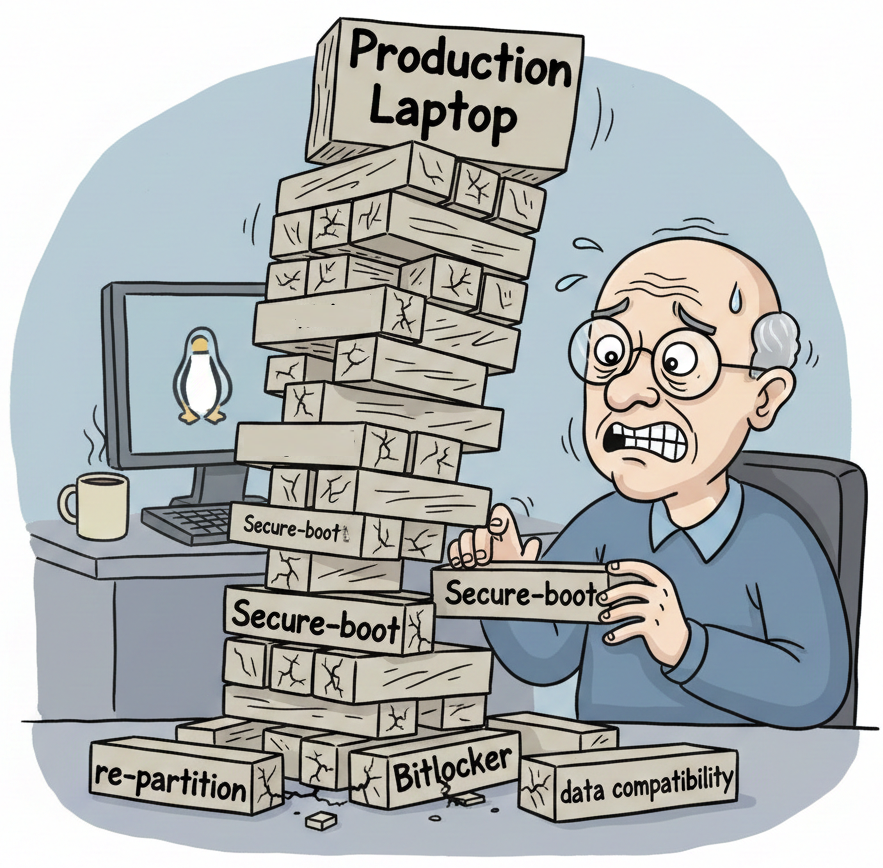
My laptop had Bitlocker installed by default, it also had secure boot enabled by default, which effectively gave Windows control of the PC BIOS. You need to disable it to boot a USB live distro. This is not as hard as it seems, but there are a lot of warnings and a lot of FUD you need to wade through and it can be scary. Armed with a photo of my Bitlocker key, Gemini gave me the correct place in Windows configuration to re-boot the machine, enter the BIOS and temporarily switch this off. You have to go through the same BIOS procedure to switch it on when you have finished testing Linux so you can restart into Windows, as it will not start without secure boot enabled, giving you a scary message.
Before you even get to this stage though you need to ensure you have backed everything up, you will likely be OK but a safe assumption is that you will totally break Windows. First thing you therefore should do is to make sure your drive is unencrypted, so that if worst comes to worst you can at least mount your C drive and recover anything you forgot to back up. After this I identified all my programs, most of which had a native Linux equivalent, but some of which did not. For each of these programs I needed to find the data. Windows by default scatters its data in two areas, c:\users and c:\Program Data, and stuff like my local MySQL databases were on the latter.
There is a very slight chance I might still get a support call from an old customer, so I did not want to trash my Windows entirely, therefore I would need a way of booting my Delphi windows development environment. So my strategy was going to make it a dual-boot machine to start with, and as this possibility of support diminished I would recover the disk space later.
My laptop had a 500GB SSD, 475GB of this partitioned as the C:\ drive, I needed to shrink this down below 150GB to allow me to create a data partition, and leave another 120GB allocated for Linux. After emptying recycle bins, uninstalling crap and unused apps and moving my data temporarily to an external drive, I eventually got the C:\ drive usage down to 140GB. With this I assumed I could now just shrink my C:\ drive to give me the breathing space I needed. However this is where the first gotcha reared its head; The Windows partition manager could only shrink it to a minimum of 330GB. AI got me over this telling me to turn off hibernation and remove the swap file, I was a bit shocked I had a swap file when I had 32GB RAM, but there it was, all 1.6GB doing, I guess, nothing. Even after all this it still refused to shrink below 330GB, why? Don’t know! But AI gave me a way out by telling me how to install and use a 3rd party free partition manager called AOMEI. So all good, followed the instructions and the C:\ drive was now 151GB. giving me 195GB for my new data drive, and 128GB for Linux when I eventually install it.
The final boot and install of Kubuntu was a bit of an anti-climax, it went exactly as the live demo and everything just worked. Thunderbird, Firefox, OpenOffice, and Calibre worked fine when re-pointed at the new data, and there was zero anxiety as I had a friendly AI to ask newbie/stupid questions.
Even with all this Windows still has tendrils hooked into the BIOS/UEFI, I added a password and turned off its ability to update the BIOS but I am not 100% confident it could still screw something up. When the price of SSD’s finally comes back down to a sensible price I might splurge on one final update and give Linux a clean 1TB partition to play with.
I booted into Windows just the once to test it. It needed secure boot re-enabling (which Kubuntu did not mind) and the only issue is it seems to take about 6 or 7 minutes to boot, the little spinning boot-up circle stuttering like it somehow knew it had been electronically kicked in its proverbial nuts. I however did not care, it fucking deserved it, and I can now do 99% of everything I need to do, and I am pretty confident the other 1% is only a prompt away. – Watch this space I guess 🙂



Pingback: Vibe迁移。从Windows 11到Linux的简单易行方式 - 偏执的码农